Park the question. Keep watching. Never lose it.
A question that comes up mid-lecture doesn’t have to stop you. Park it with its moment and context, keep going, and link its answer when it arrives: later in the same lecture, from the teacher, or days later.
How it works
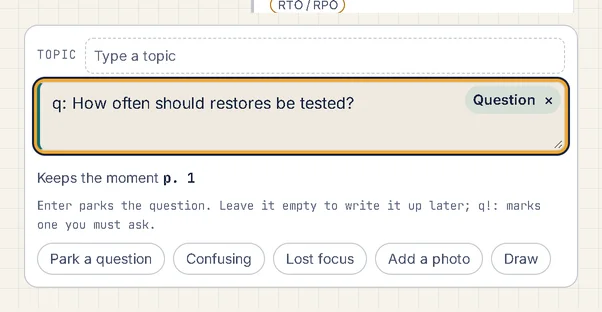
1. Park a question in one keystroke.
It keeps the moment, the words on screen and what you’d written just before.
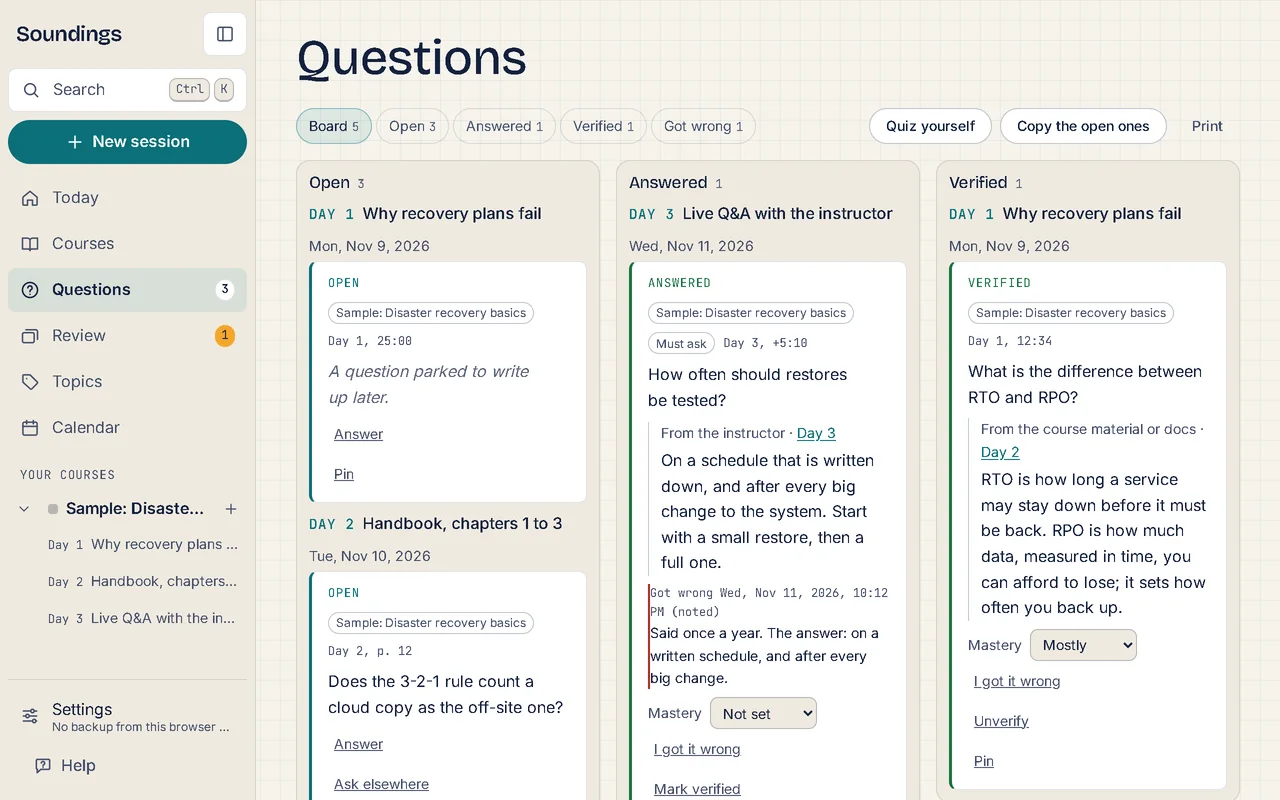
2. See what’s still open.
The Questions board shows every open question across a course, and the agenda for your next class.
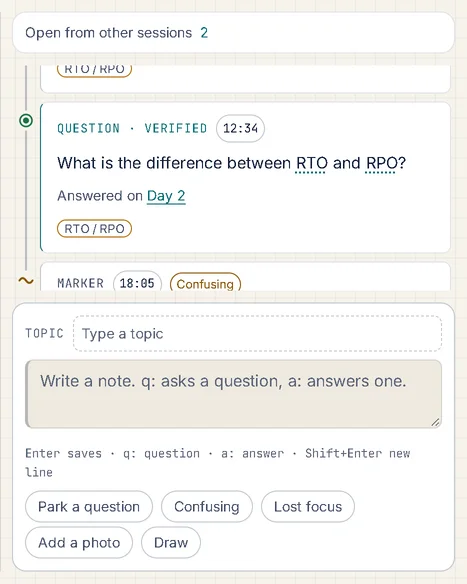
3. Link the answer.
Write a: and choose the question; the answer keeps its own moment and where it came from (you, the teacher, the course material).
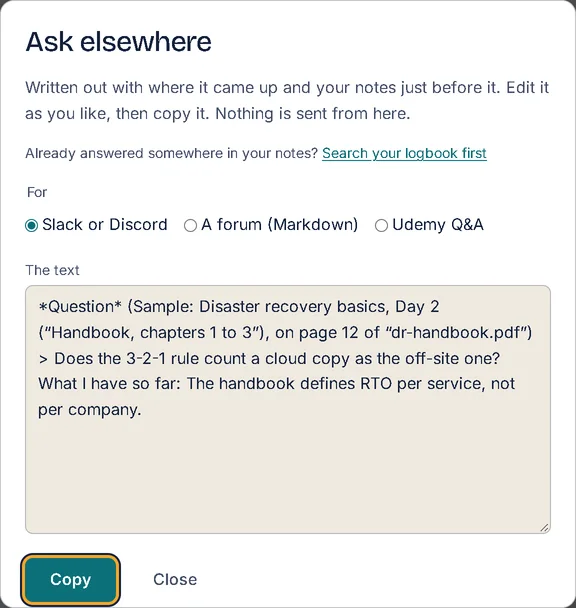
4. Ask elsewhere.
Copy a question, with its context, ready for a forum, Slack or a course’s Q&A.
Good to know
- Questions you answer become recall cards automatically (see Review).
- Mark an answer verified once you’ve checked it.
More of what Soundings does
- Capture at the moment: Every note knows where it came from.
- Review that comes back: What you answered once, you’ll remember for good.
- Organise and find: Every note in its place, and found in seconds.
- Maps and diagrams: See the shape of what you wrote.
- Share and start: Start from a logbook that already has its shape.
- Stay on course: Study at your own pace, and see it add up.
- Your logbook everywhere: One logbook, every device. Locked before it leaves.
- AI on your own key: AI that helps you think, not think for you.
- Record and transcribe: Hear the moment you wrote it.
- Classes: Ask your trainer. Keep the answer.