See the shape of what you wrote.
Some things are easier to see than to read. Write a list and Soundings draws it as a map while you type; write a few lines and it draws a flowchart. Every point remembers the moment it came from, and any point can be blanked to make a recall card.
How it works
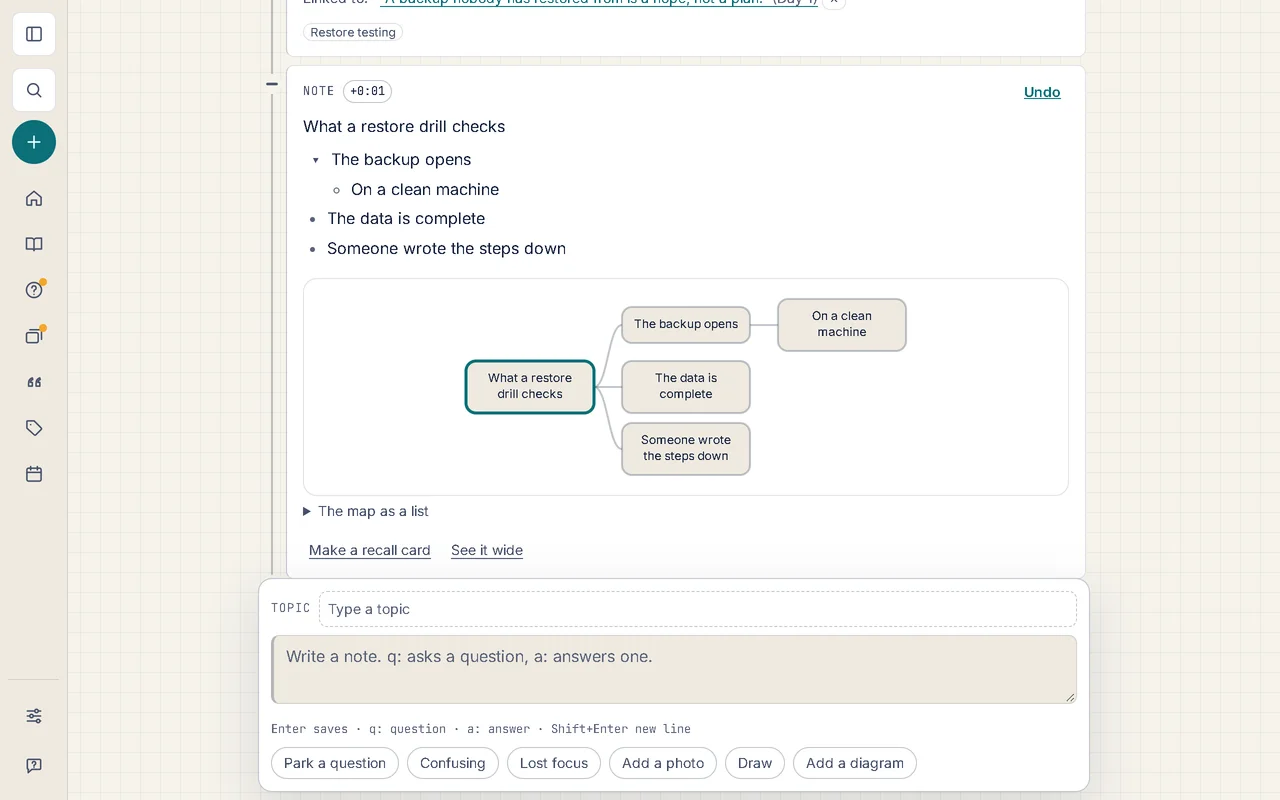
1. Write a list, see a map.
Any note with three points or more has Map under it: the outline becomes a tree, and it keeps up while you type.
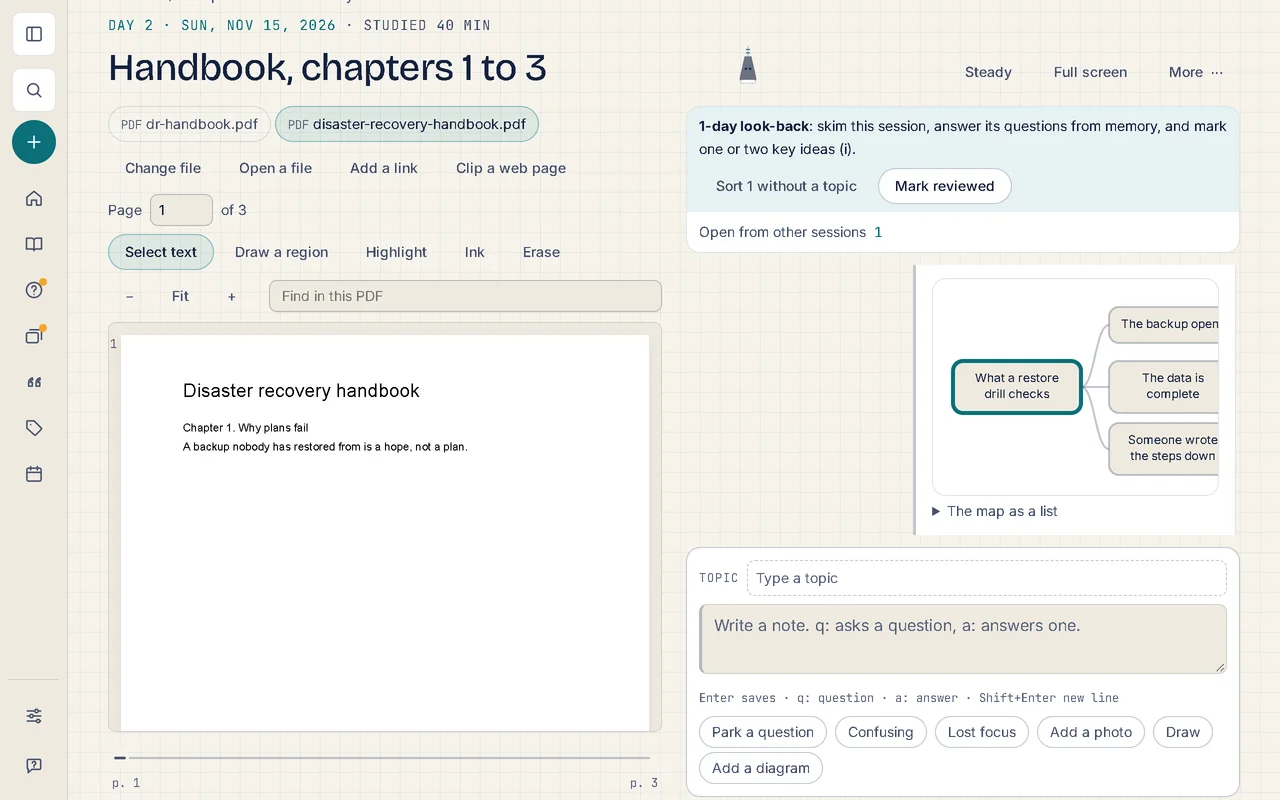
2. Go back to the moment.
Where the note was written at a time in a video or a page in a PDF, choosing any point takes you there; the arrow keys move between them.
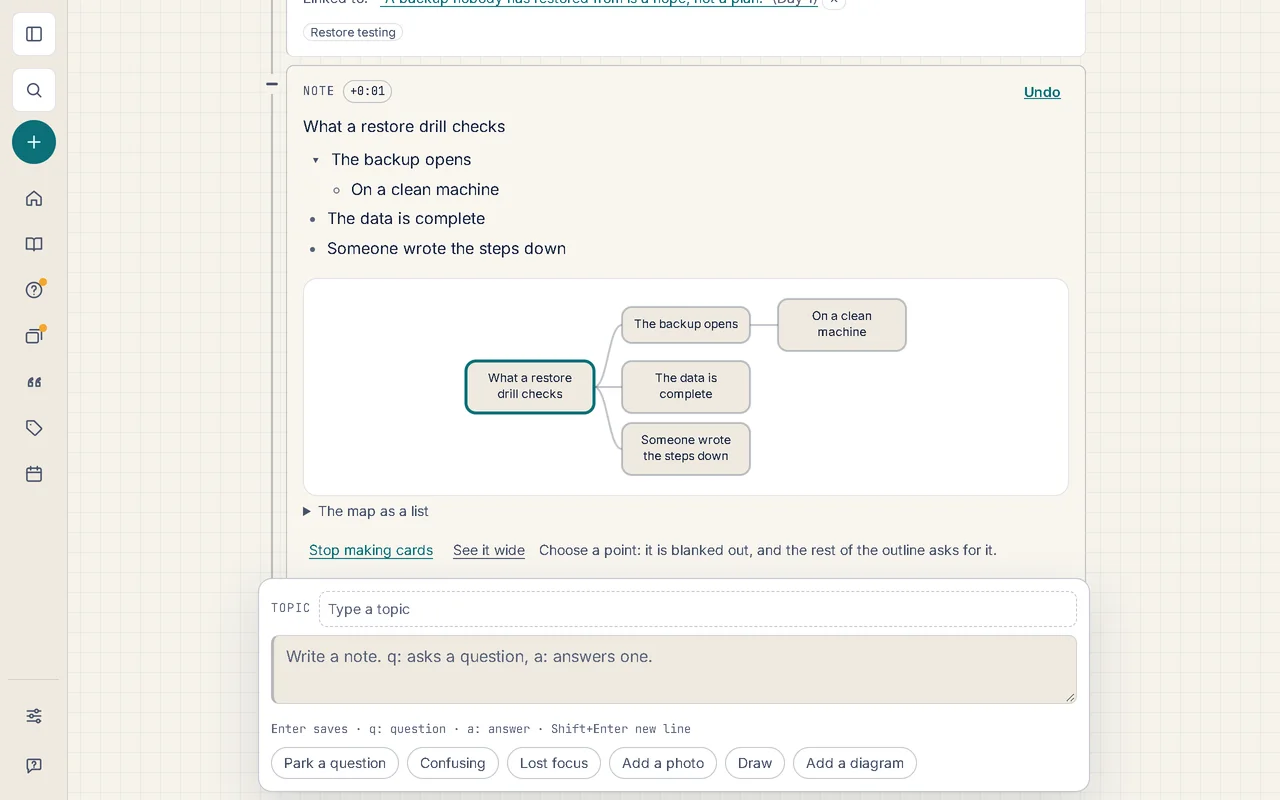
3. Blank a point, and recall it.
Make a recall card, choose a point, and the rest of the outline asks for it. The card joins your review like any other.
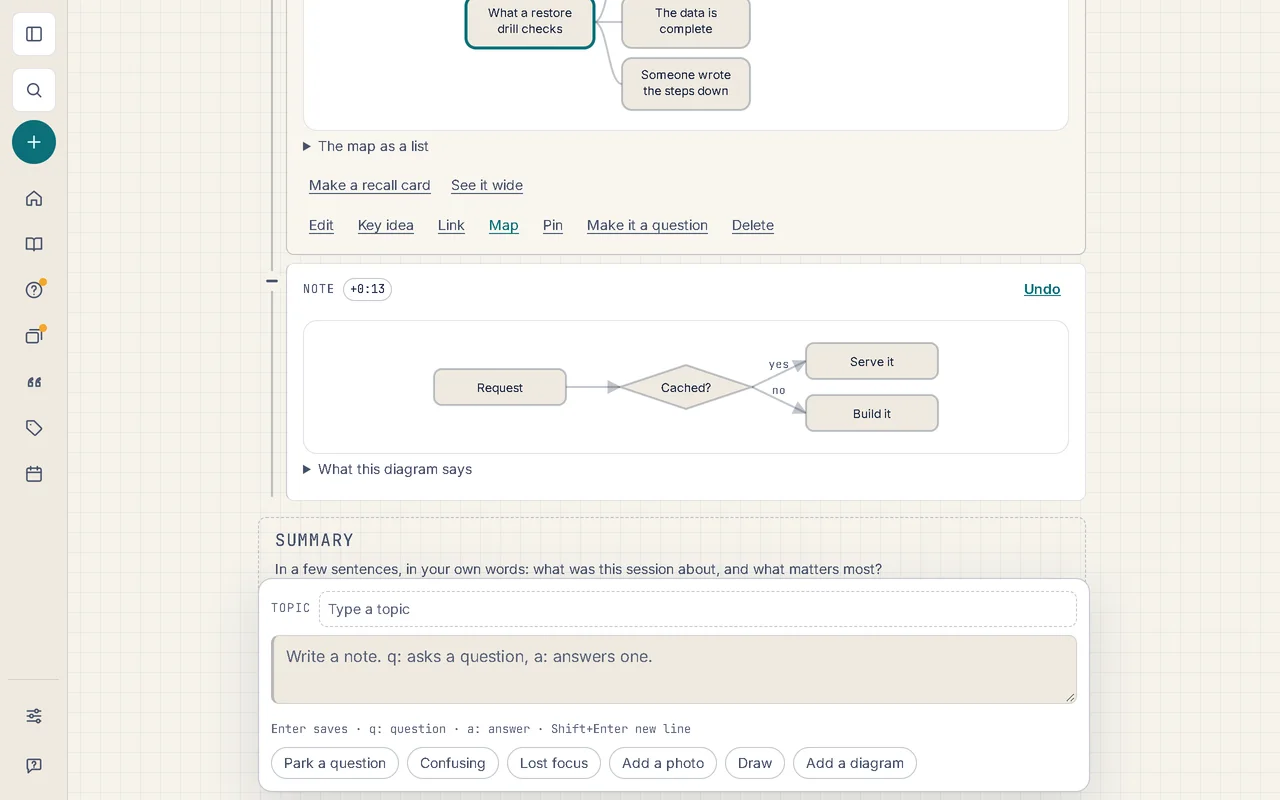
4. Draw a diagram in a few lines.
Add a diagram writes a flowchart you fill in; state diagrams and sequence diagrams are written the same way.
Good to know
- A whole session has a map too: the day in the middle, its topics around it, and what you wrote under each. Choose an entry to open it.
- Under every map is the same thing as a list, which is what a screen reader reads; a page you share by link draws its maps and diagrams too.
- Diagrams are written the way other note apps and code sites understand, so a note you export still draws them where you take it.
- With your own AI key, Draw this as a map drafts an outline from a note’s own words for you to keep and change (Soundings Pro).
More of what Soundings does
- Capture at the moment: Every note knows where it came from.
- Questions and answers: Park the question. Keep watching. Never lose it.
- Review that comes back: What you answered once, you’ll remember for good.
- Organise and find: Every note in its place, and found in seconds.
- Share and start: Start from a logbook that already has its shape.
- Stay on course: Study at your own pace, and see it add up.
- Your logbook everywhere: One logbook, every device. Locked before it leaves.
- AI on your own key: AI that helps you think, not think for you.
- Record and transcribe: Hear the moment you wrote it.
- Classes: Ask your trainer. Keep the answer.