One logbook, every device. Locked before it leaves.
Study on your laptop, review on your phone. Pro syncs your logbook through your own Google Drive, encrypted on your device first, so Soundings can’t read it. And when you want a friend or a tutor to see your notes, share a page by link.
How it works
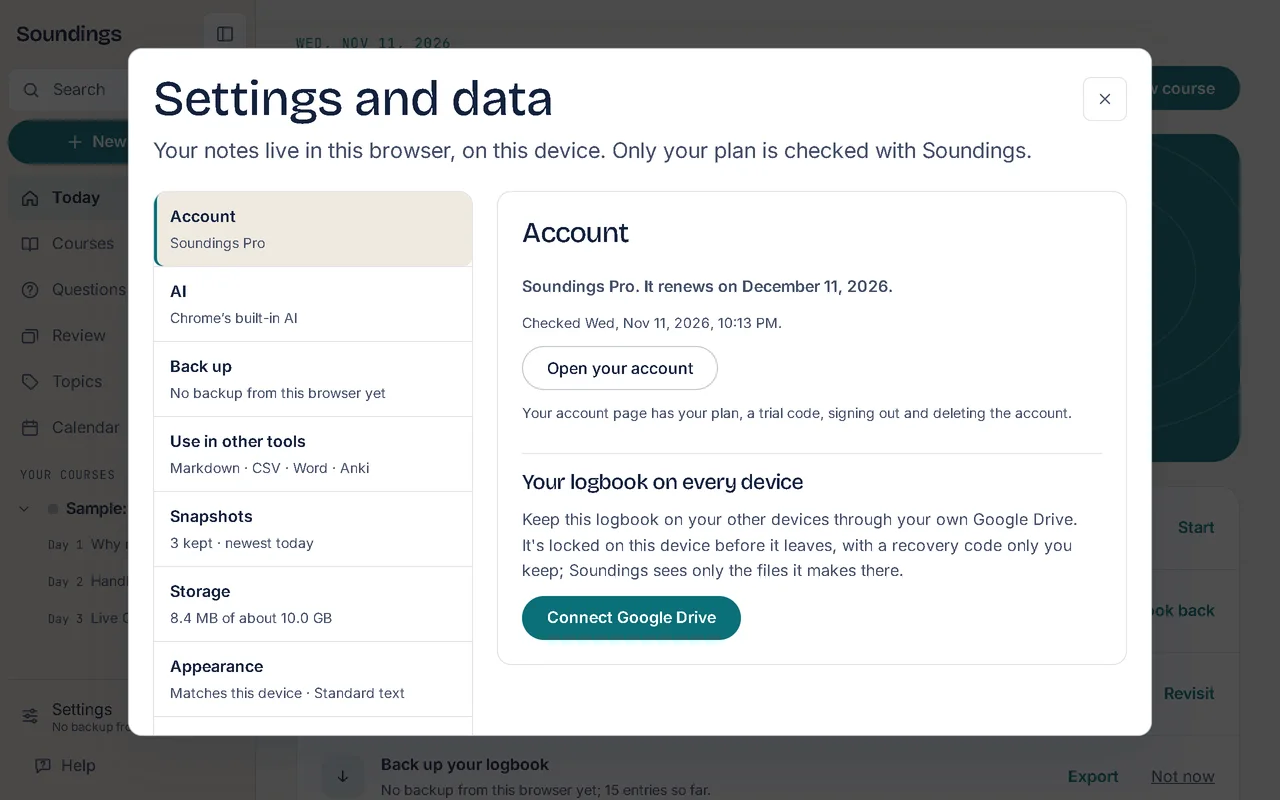
1. Connect your Google Drive.
Soundings asks only for the files it makes; it never sees your other files.
2. Keep your recovery code.
It unlocks your logbook on a new device; Soundings doesn’t keep it.
3. It syncs as you work.
Every few minutes, when you leave the tab, and when you’re back online; PDFs, Word, PowerPoint and code files you open come along too, and videos if you switch it on.
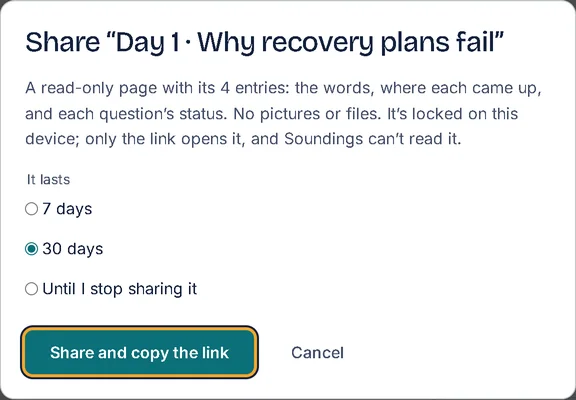
4. Share by link.
A question card that lives in its link, or a whole session or topic page, read-only, for 7 days, 30 days or until you stop it.
Good to know
- Your logbook always stays on each device too: sync is a copy, not a move.
- Every entry keeps its earlier versions, so a change can be read back or put right.
- A backup can be locked with a passphrase before it leaves your device, and only that passphrase opens it.
- An export for Notion sits beside the other exports.
- Share a whole course as a template, with only the parts you tick, or send it to the community gallery.
- Every earlier wording of a note is kept, to look back at and restore; make a new recovery code any time, or start over with a new one if you lose yours.
- Lost a device? Remove Soundings’ access to your Drive, and sign out on every device.
- A backup file locked with a passphrase you choose, beside the plain one.
- OneDrive and Dropbox are coming soon, beside Google Drive.
More of what Soundings does
- Capture at the moment: Every note knows where it came from.
- Questions and answers: Park the question. Keep watching. Never lose it.
- Review that comes back: What you answered once, you’ll remember for good.
- Organise and find: Every note in its place, and found in seconds.
- Maps and diagrams: See the shape of what you wrote.
- Share and start: Start from a logbook that already has its shape.
- Stay on course: Study at your own pace, and see it add up.
- AI on your own key: AI that helps you think, not think for you.
- Record and transcribe: Hear the moment you wrote it.
- Classes: Ask your trainer. Keep the answer.