Choose a layout: Workspace or Pages
Choose how you move around Soundings: a sidebar beside every screen, or a header that opens one page at a time.
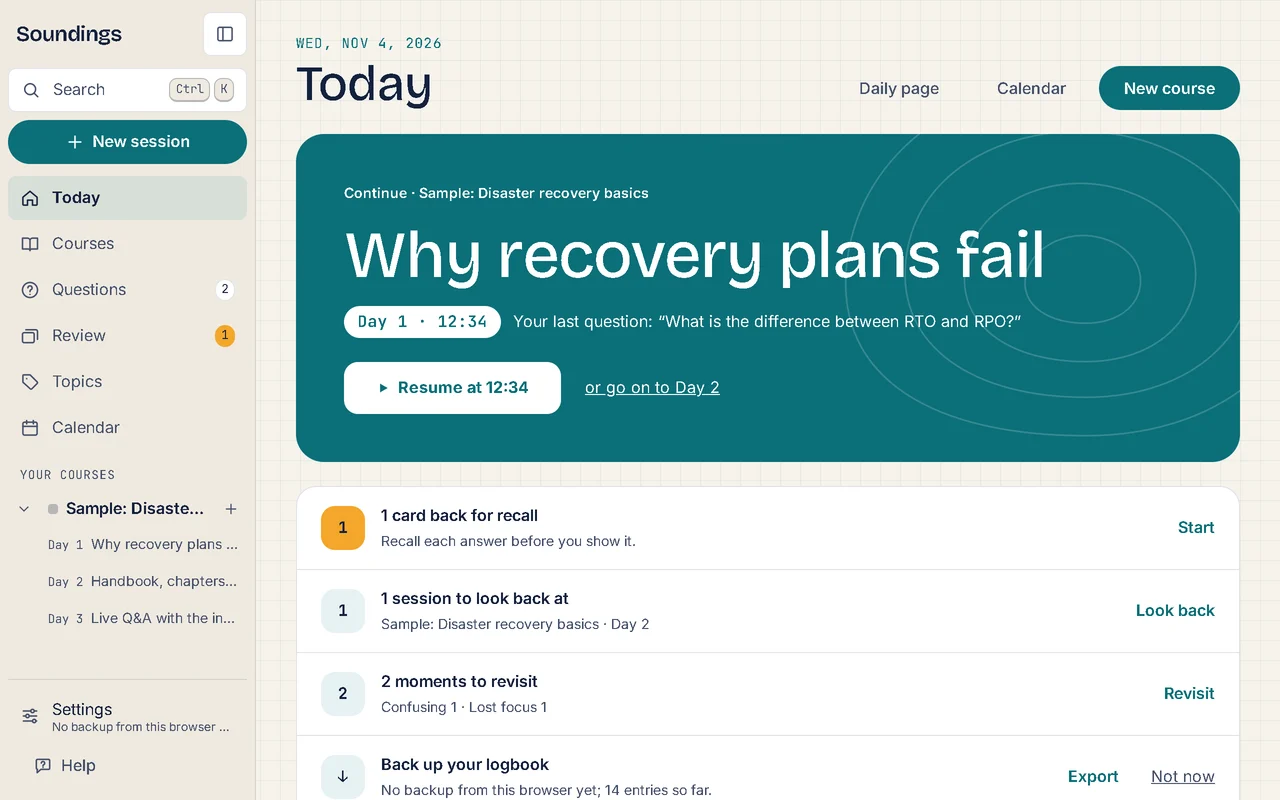
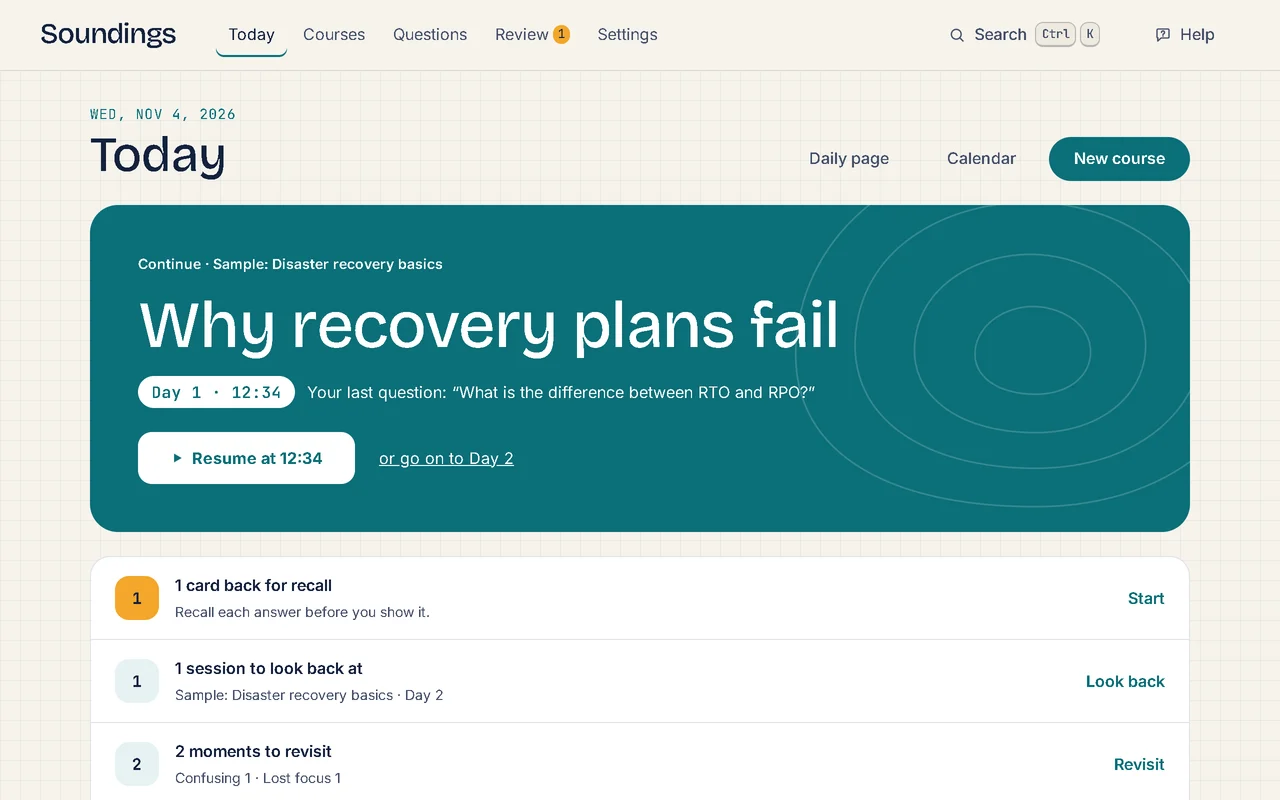
Soundings has two layouts. Both show the same things and keep everything you have written: only the way you move around changes. A new logbook starts in Workspace, and you can switch at any time.
The two layouts
| What changes | Workspace (one page) | Pages |
|---|---|---|
| Moving around | A sidebar beside every screen, with every course and its sessions | A header at the top, with Today, Courses, Questions, Review and Settings |
| Settings | Opens in a window over the page you are on | Opens as a page of its own |
| When Soundings opens | Where you left off: your last session, at your newest entry | On Today |
| In a session | The sidebar folds to icons, so the video or page has more room | The header stays at the top |
Switch layouts
Open Settings. In Workspace, it is at the bottom of the sidebar. In Pages and on a phone, it is at the top of the screen.
Select Layout.
Choose Workspace (one page) or Pages.
The layout changes at once. There is nothing to save, and nothing you have written changes.
Use the sidebar in Workspace
- At the top, Search finds your notes and runs any command, and New session starts a session.
- Then come Today, Courses, Questions, Review, Topics and Calendar.
- Your courses lists every course. Select the arrow beside a course to show or hide its sessions. Select the plus sign beside it to start a session in that course.
- At the bottom are Settings, which also says when you last made a backup, and Help.
To fold the sidebar to icons, select the button at its top, or press Ctrl+\. Do the same to open it again. In a session, the sidebar folds by itself each time a session opens.
On a phone
On a phone, both layouts look the same. Today, Courses, Questions and Review are tabs at the bottom of the screen, and Search, Settings and Help are at the top. In a session, the tabs make way for the capture box.
The one difference: in Workspace, Soundings still opens where you left off.
Try it: Open Layout in Settings
Related articles
- How Soundings works: The few ideas behind Soundings: courses, sessions, entries and their moments, topics, Review, and where your notes are kept.
- Install Soundings and use it offline: Open Soundings from your apps in a window of its own, keep studying without an internet connection, and move to a new version.
- Keyboard shortcuts: Every key that works in Soundings, so you can write and move around without the mouse.